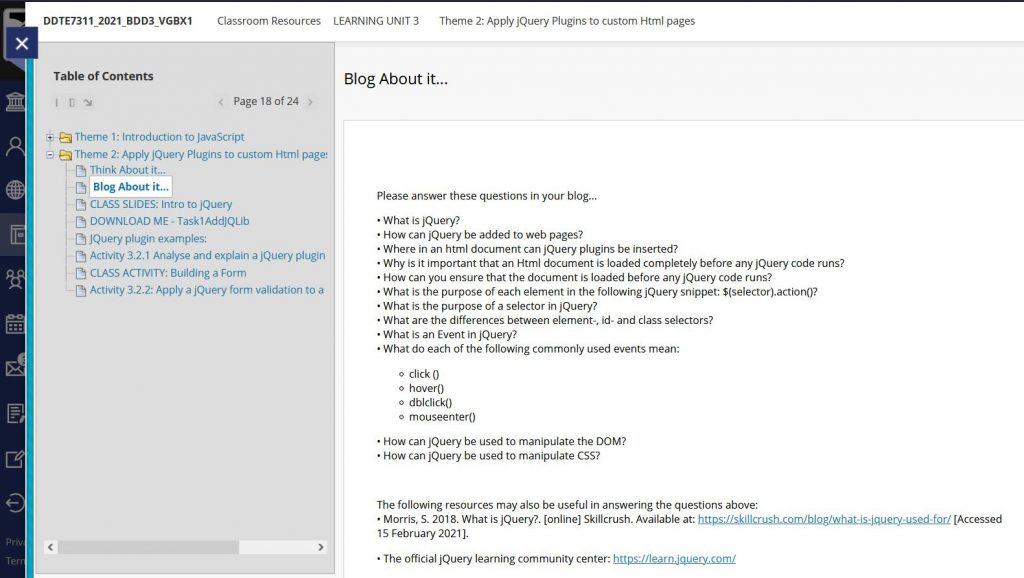

How the class is structured and slide examples
| Module: DIGG7311 (3rd Digital Design Craft classes) | Activity: | Tools used: | Outcome and Feedback: |
|---|---|---|---|
| Session 1 – (2 hours) “The Beginning” | Ice breaker – each student is asked to create a 2 minute video explaining the how, why and what of something of interest to them, this is then shared with the class. Overview and Objectives – this outlines what has been done up to this point, why this matters and how knowing the subject area will help them in industry. Defining the objectives and referring back to the module outcome. Introduction – to the theory students need to present their already existing knowledge on a topic and I need to make sure that this is accurate so that more knowledge can be built on top of this. Group work is vital here, time is allocated to class group activities, for students to learn from each other and broaden their understanding. | – Miro.com (digital platform for mind maps and brain storming activities to take place) – Scamps (students may be asked to roughly draw or plot out examples of how they would solve problems) – Whiteboard (students may be asked to make collaborative lists or diagrams) – Presentations (students may be asked to define, examine and explain terms or concepts) – Podcasts (students may go off into groups and create a podcast on the topic and share it later with the rest of the class – allowing for the construction of opinion and understanding o a topic) | Outcome: Students have a foundation of the topic, they have explored and sought answers, placing ownership on their knowledge. Feedback loop: At this stage students engage with discussions or blogs. As a navigator, comments and conversations are encouraged. |
| Session 2 – (2 hours) “The good stuff” | Introduction – recap of what was covered in the previous class. Instruction – This is a theory centered class. Videos and examples relating to the content reinforce theory. | Presentations made in Canva or Menti.com (please see examples below), these are then shared with the students and because they are in a digi lab they are able to follow along and click on examples and videos shared. | Outcome: Students can now accurately compare gained/found knowledge with an accurate source. Feedback loop: At this stage students will have submitted an assessment from session 1, there will be time for reflection and feedback. |
| Session 3 – (2 hours) | Introduction – recap on the weeks sessions. Design Challenge – students are given instructions to complete a practical task relevant to the theory covered that week | This can be in the form of video tutorials, workbooks, class tutorials, practical examples. Please click on the buttons below to access examples of Slide presentations for the design Challenges. | Outcome: Students can now apply theory and concepts to an industry-relevant task. Feedback loop: Students will have an opportunity to share with peers and the lecturer. |
Click the button to find an example of a design challenge brief, this is typically done at the end of the week or session, this is to solidify what students have learnt and ensure they can master skills needed to create industry ready projects. This is also a great way for students to build their portfolio.
Please view an example of a workbook I created to help students design an e mailer using Mail Chimp. The focus here is to get to know the software. This is a step by step workbook taking students through the application.
As a lecturer who values the role of technology in enhancing learning, I consistently use the LMS to structure content delivery and support student engagement. I set up discussion spaces where students can upload, share, and reflect on their work, creating opportunities for peer interaction and ongoing engagement with the material. While I do not rely on technology to teach, it plays an important role in supporting a flipped classroom approach and extending learning beyond the physical classroom.
I also integrate interactive tools where they add value and do not get in the way of teaching. These tools help me address a common challenge: encouraging students to actively respond to questions and share their thinking. By enabling real-time participation, they support a more inclusive environment and reinforce a constructivist approach to learning, where students actively engage with both the content and each other. See the image below.
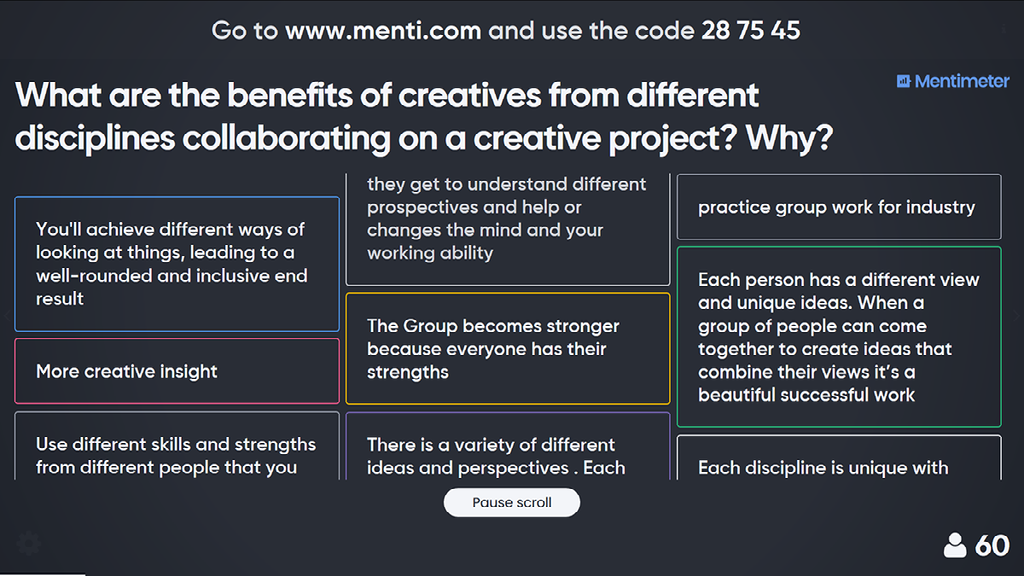
This fosters a climate for collaboration.